Research Project Checkpoint 1: Artifact Assessment & Planning
Deliverables
Artifact Assessment & Planning – 70 points – due Friday, November 6th, 11:59pm
- Prerequisite: Artifact Selection and Repository Setup
- Artifact Quality Assessment (35 pts)
- Project Planning (35 pts)
What is different this semester
The artifacts come from this year's conferences: ICSE 2026, FSE 2026, and ASE 2026. Many of them depend on LLMs, which changes what "reproducible" means, and we ask you to check what an artifact needs before you commit to it.
The process is the one you already know from the SDE project: your repository comes from UCF Code Classroom, backlog issues use the same required fields and labels, and you keep logging your AI tool use. The main new piece is a written assessment of the artifact against the ACM badge criteria.
Artifact Selection
Your first task is to select an artifact. You may choose any paper from the research tracks listed below. Each page has an Accepted Papers tab, and most papers also link a preprint.
- ICSE 2026 Research Track - Rio de Janeiro, April 2026
- FSE 2026 Research Papers - Montreal, July 2026
- ASE 2026 Research Papers - Munich, October 2026
The paper must have a public artifact that contains code. A data-only replication package (spreadsheets, survey responses, a corpus with no software) is not a fit for this project.
Badged or not?
Each conference ran an artifact evaluation track (ICSE, FSE, ASE) and awarded the badges described on the project overview. The tracks do not publish a list of accepted artifacts; the badges appear on the paper's page in the ACM Digital Library.
Prefer artifacts that earned at least the Available badge, since those have a permanent archived copy. An unbadged artifact is acceptable if it is public and contains code. Assessing something no reviewer has looked at is legitimate, and often more interesting.
You may choose the paper your team is presenting
If the paper your team was assigned for the in-class presentations has a code artifact, you are welcome to use it here. Knowing the paper well makes the assessment better, and reproducing its results makes for a stronger presentation. You are equally welcome to pick something else.
Another conference?
If there is an artifact from a conference not listed above that aligns with research interests on your team, let me know and I will work with you to get it approved.
Finding the artifact
Papers in these venues are expected to state where their artifact is. Look, in order, at:
- The paper's Data Availability or Artifact section, usually just before the references. It typically gives a Zenodo or Figshare DOI, a GitHub link, or both.
- The paper's page in the ACM Digital Library, which shows any badges and links.
- The preprint linked from the conference page (arXiv preprints often link the repository).
- A web search for the paper title together with "artifact" or "replication package".
Check what the artifact needs before you commit to it
Read the abstract, then open the artifact and read its README with your whole team before deciding. In particular, find out whether it needs:
- Paid API access. Many 2026 artifacts call a commercial LLM. Estimate what rerunning the main experiment would cost; if it is hundreds of dollars, look for cached model outputs in the artifact (many ship them) so you can at least reproduce the analysis.
- Models that no longer exist. If the paper used an API model that has since been deprecated, its numbers can only be approximated. That is a finding, but know it going in.
- A GPU, or a lot of one. Check what hardware the paper reports and whether a smaller configuration is possible.
- Days of runtime or tens of gigabytes of data. Look for a subset or a "quick start" that runs end to end in minutes.
A good rule of thumb: you should be able to run something end to end within your first week. If you cannot see how, pick a different artifact. If you are unsure, come to office hours.
Claim your artifact
Once your team has decided, post the paper title, venue, and artifact link in the Research Project Artifacts thread on Ed Discussions. Each artifact goes to one team, first come first served, so claim it before you start importing it.
Your Team Repository
Open the Research Project assignment in UCF Code Classroom, the same app you used for every other assignment. It creates a private repository for your team with a linked project board. Unlike the SDE project, this repository starts empty: your first job is to import the artifact into it.
Importing an artifact that lives on GitHub
Keep the authors' commit history: it is the single most useful thing you have for software archaeology, and it lets you see what changed between the paper's submission and now.
git clone https://github.com/<authors>/<artifact>.git
cd <artifact>
git remote rename origin upstream
git remote add origin git@github.com:UCF-CEN-5016/<your-team-repository>.git
git push -u origin --all
git push origin --tags
If Code Classroom seeded your repository with an initial commit, GitHub will reject that push. Pull the seed commit in first, then push again:
Note that the artifact's default branch may be called master; that is fine, just use the
name consistently from here on.
Importing an artifact that is only a Zenodo or Figshare archive
Download the archive, unpack it into a fresh clone of your team repository, and commit it as a
single commit whose message records the DOI (for example Import artifact from
doi:10.5281/zenodo.1234567). Put the DOI and the paper citation at the top of the README so
the provenance is clear to anyone who opens the repository.
Large files
GitHub refuses files over 100 MB, and your repository should not carry datasets or model
weights at all. Leave them out, add them to .gitignore, and instead document in the
README (or a small scripts/download-data.sh) exactly where to fetch them from. Deciding
what belongs in version control is part of the assessment.
Keep the artifact's LICENSE file, and respect it. If an artifact has no license, note that
in your assessment: it is a real problem for reuse.
Project Board
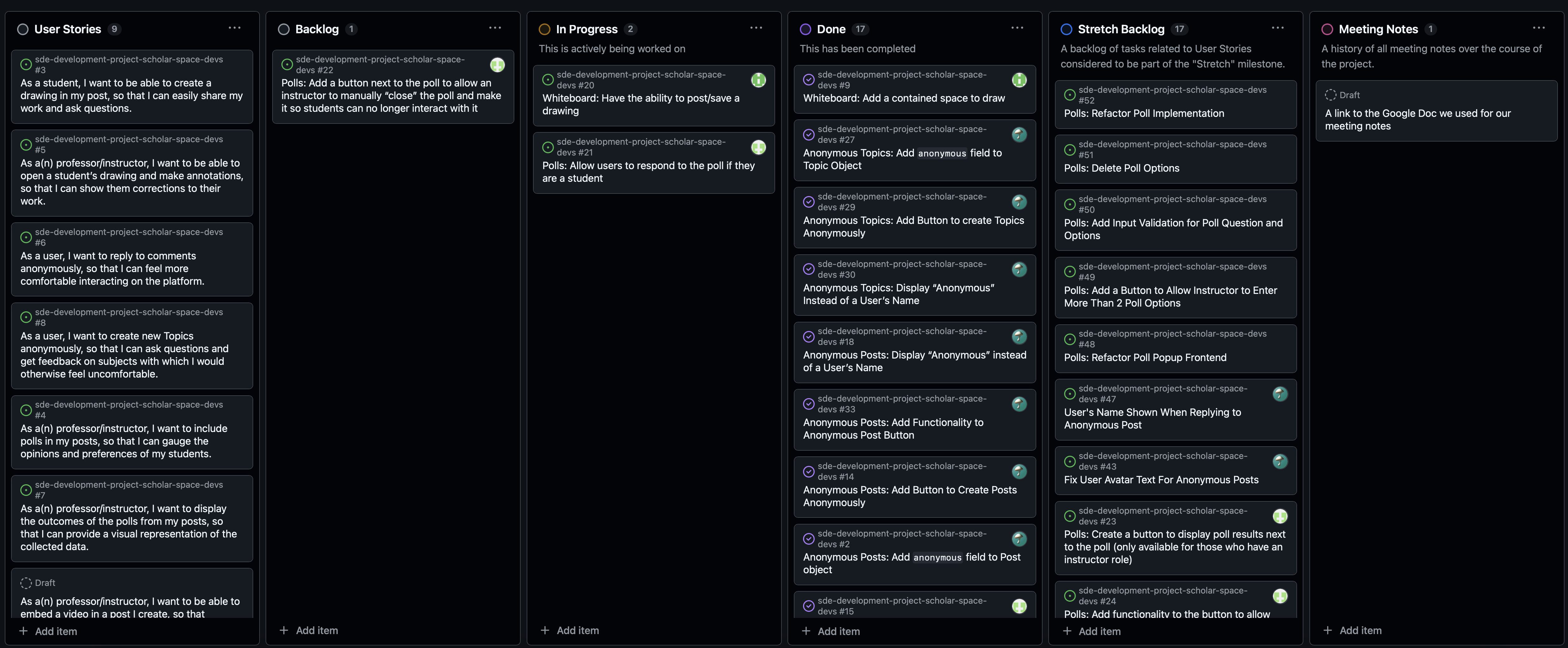
Code Classroom links a project board to your team repository when it creates it. Open it from the "Projects" tab and switch it to the Board view. If your team does not have one, create it yourself following the steps from Assignment 1.
Create backlog issues in the repository, then add them to the board
As in the SDE project: create each issue from your repository's Issues tab and add it to the board through the "Projects" field in the sidebar, rather than typing it directly into a board column. Items created on the board are draft issues that do not live in your repository, cannot be linked from a pull request, and do not show up in the history we grade from.
The exception is the Features/Bug Fixes column, where draft issues are what we want. See Project Planning below.
You should use this team repository for all your development, and be sure to use good development practices, including keeping your commits cohesive and your commit messages informative.
We will be grading you on how well you follow the process from the SDE project and utilize this project board:
- Create issues for feature improvements or bug fixes
- When creating an issue, assign team members and tag with appropriate labels
- Create a pull request and reference the issue it will be resolving
- Provide feedback to pull requests
- Use a Kanban board to track your workflow
We will use your commit history and issue/pull request activity on GitHub to assess both your teamwork process and each member's individual contributions towards the project. It is not acceptable for one person to commit all the work after synchronizing through other means.
For each code-based deliverable, we will look at a snapshot of your repository at the deadline.
Main Deliverables
Artifact Quality Assessment (35 pts)
Your first task is to assess the current state of the artifact. Install it, run it, and try to reproduce at least one result from the paper. Then write up your findings as a 1 - 2 page PDF in the format below. We recommend that you keep it to around 1 page; 2 pages is a hard limit. Tables are welcome and count towards the limit.
Keep a reproduction log from day one
While you work, keep a running log in docs/cen5016/reproduction-log.md in your team
repository: the exact commands you ran, on what machine, how long each took, every error
you hit and how you got past it. You cannot reconstruct this afterwards, the assessment
is far easier to write from it, and it becomes the backbone of the reproduction report
you owe at Checkpoint 2.
Your write-up should begin with a short header giving the paper citation, the artifact link(s) and DOI, the badges it earned (if any), and which team members ran it on what operating system and hardware. Then address the following sections, which mirror the criteria the artifact reviewers used:
-
Availability
Is everything the paper and the README promise actually there? Is the artifact archived with a DOI, or does it exist only as a GitHub repository? What is missing (data, models, scripts, a license), and how does that affect what can be done with it? -
Documentation
Is the artifact well documented? Are the install and run instructions complete and correct? What knowledge does the README assume of its reader, and is that assumption reasonable? Does it say which result in the paper each script produces? -
Functionality
Were you able to install and run it? How long did it take, and how much of that was fighting the environment? Be specific: which commands failed, with which error, and what you did about it. What did it require that the README did not mention (an API key, a GPU, a particular Python version)? -
Results
What did you reproduce? Include a small table comparing at least one number from the paper with the number you obtained. Where they differ, explain why as best you can (randomness, a different model version, a subset of the data, a bug). Where you could not run an experiment at all, say what stopped you. -
Verdict
Which badge(s) would your team award this artifact (Available, Functional, Reusable), and why? Finish with the three most important problems you found, in priority order. These should feed directly into your project planning below.
Using an agent to get the artifact running
Coding agents are genuinely good at environment debugging: reading a stack trace,
pinning a dependency, working out which Python version a 2024 requirements.txt was
written for. Use them. Log your sessions the way you did on the SDE project and commit
them under ai-logs/research-checkpoint-1/<your-github-username>/.
Two cautions. First, verify any claim that something "works" by running it yourself; an agent reporting success is not evidence. Second, never let an agent "fix" a result that disagrees with the paper by changing what is being measured. A number that does not reproduce is a finding; a number that was made to match is misconduct.
Feel free to seek the assistance of the instructor in drafting this document.
Save the file as a PDF and upload it to Webcourses. Only one team member needs to make the submission, as this will be a group submission on Webcourses.
Project Planning (35 pts)
Before your team jumps into development, you must first decide what to build. Schedule and hold a project planning meeting with your team to complete the steps below. The walkthrough from the SDE project still applies, from a draft idea through a fully specified issue to merged work.
Candidate Improvements - Features & Bug Fixes
During this meeting, discuss what would most improve the artifact, drawing on your assessment. Good candidates usually fall into one of these groups:
- Reproducibility: a Dockerfile or pinned environment, a one-command script that runs an experiment end to end, configurable random seeds, a fix for install steps that no longer work
- Correctness: bugs you found while running it, and tests for the core components so the next person can tell when something breaks
- Usability: a proper command-line interface or configuration file, progress logging, clearer separation of "reproduce the paper" from "run on your own inputs"
- Extension: run the technique on a new dataset, a newer or open-weight model, or an additional baseline, and report what changes
- Engineering: a CI workflow that runs a smoke test, restructuring a monolithic script into modules, static analysis clean-up
Document each candidate as a feature description or bug-fix issue following the guidelines discussed in lecture.
You should come up with at least two candidates per student in your group.
As a team, rank the candidates. The ranking should be based on two factors:
- Impact: how much the change would help the next researcher who tries to use or build on the artifact, and how much it matters to the scientific claim
- Effort: how much time/effort is required to implement it
Add two columns to the left of your project board called "Features/Bug Fixes" and "Backlog", so that you have "Features/Bug Fixes", "Backlog", "To-Do", "In Progress" and "Done", in that order from left to right. Feel free to add more columns if your team decides you need them.
Add your candidates into the "Features/Bug Fixes" column as draft issues. In the body of each, provide a brief but concrete justification of the ranking your team decided on. Order the column from highest to lowest priority.
Make it visible who wrote which candidate
The two-per-student requirement is something we have to be able to check, so each draft issue needs to say who authored it. Assigning each draft issue to the team member who wrote it is enough. Your project manager can add them all on the team's behalf; it is the assignee that matters, not who did the typing.
Technical Requirements - Backlog Issues
Now consider the technical requirements of your top-ranked candidates and decide which one(s) you will focus on over the development sprint. Your team is aiming to maximize the value delivered to the research community given your constraints.
Selecting Appropriate Work
Given the variation between artifacts, it is hard to give a concrete guideline on how much a team should take on. A team could tackle one change that requires major effort, or a few that each require less. In general, we expect work to be selected given:
- 2 sprints of roughly 2 weeks each, the second of which contains Thanksgiving break
- the number of team members on your team
- an assumption of 8 hours/week available per individual
Research code is often a single long script with no tests, so even a small change can take longer than you expect because you first have to make it safe to change. The course staff is happy to discuss this with your team during office hours and we highly recommend you do so if your team is unsure. We will also give you feedback once you turn in this checkpoint.
The work you plan should not be purely cosmetic or arbitrary. Only improving the documentation is not sufficient, although every team is expected to leave the README better than they found it.
Convert the work you decide to do into GitHub issues in your team repository and add them to the "Backlog" column. Each backlog issue must contain:
| Field | What it means |
|---|---|
| Title | Short, descriptive, action-oriented |
| Summary | What the change is, why it matters, who benefits |
| Rough scope | Small / Medium / Large / XL, with a one-sentence justification |
| Source | Where it came from: a section of your assessment, an open issue on the artifact's repository, a limitation the paper itself admits |
| Estimated effort | Your team's estimate |
| Dependencies | Other issues this one depends on, if any |
| Assignee | Who is taking it |
| Milestone | Which sprint it is targeted at: Sprint 1, Sprint 2, or Stretch |
| Acceptance criteria | How you will know it is done. For reproduction work, this means which number from the paper you expect to match, and how closely |
Each issue must also carry two labels, which you should create in your repository if they do not already exist:
- Scope:
scope: small,scope: medium,scope: large, orscope: xl - Type:
type: feature,type: improvement,type: bug, ortype: reproduction
You should actively assign and move these issues across your Kanban board as your team makes progress.
A Note on Grading
We will not assess how accurately you predicted your development process, nor will we give points based on the complexity or quality of your changes. The focus of our evaluations will be on how you decompose the problem, how you respond to unexpected circumstances, and how you analyze and reflect on your experience later on.
We will check your development progress at the end of each sprint. Please be proactive in your planning to ensure that you make notable progress in both sprints. We highly recommend reading ahead on what our expectations are for Checkpoint 2 as you plan your milestone goals.
Include a link to your GitHub board in your Webcourses submission. If you are unsure about your planned changes, you can ask for feedback from the instructor!
Grading
Re-grading
You will have the opportunity to earn points back if you correct issues we point out with the project planning portion when you turn in Checkpoint 2. We will not re-grade the quality assessment.
To receive full credit for the artifact quality assessment, we expect:
- All sections listed above addressed in a roughly 1-2 page PDF document submitted to Webcourses
- The artifact imported into your Code Classroom team repository, with provenance (upstream URL or DOI) recorded in the README
- Evidence of a serious attempt to run the artifact, including at least one result compared against the paper
- A reasoned badge verdict and a prioritized list of problems
- AI sessions logged under
ai-logs/research-checkpoint-1/<github-username>/
To receive full credit for the project planning, we expect:
- A GitHub project board linked to your team repository with:
- A Features/Bug Fixes column containing at least two candidates per group member, each assigned to its author, that satisfy the guidelines outlined above and in lecture
- A Backlog column containing GitHub issues describing the work the team will tackle
- Every backlog issue contains all of the required fields listed above
- Every backlog issue carries both a
scope:and atype:label and a sprint milestone